






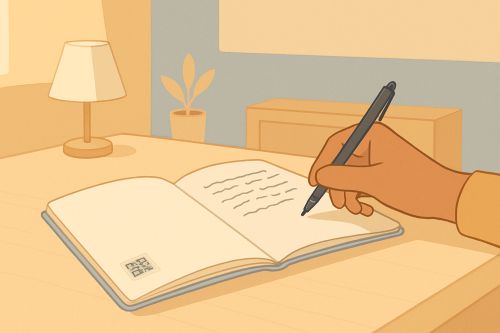
Help the marking teacher understand your child's dyspraxia, from the very first homework handed back
A discreet label on the back of the homework, the QR leads to a clear profile. The teacher reads it while grading, adjusts their perspective, and the child never had to raise a hand.
This case involves a 9-year-old child with dyspraxia whose parent wants every grading teacher to have the right information, without an extra meeting, and without the child having to justify themselves in front of the class.
The moment it happens
The homework goes into the school bag on Friday evening. The child has formed their letters as best they could, line after line, gripping the pencil, slowing down. Their mother helps them stick a label on the back of the page: a small square with a QR code, and the words "scan to grade more fairly."
On Monday morning, the teacher sits down with the stack of papers. They scan the QR with the edge of their phone. A profile opens, plain and readable: the child has dyspraxia, writing is slow and demanding, what matters is the reasoning, not the penmanship. The teacher closes the profile and resumes grading, differently.
No one had to explain it in a meeting. The child did not have to justify themselves in front of their classmates. The parent did not have to send one more email.
- You write it
- The QR is in place
- The reader scans
- Understood, without explaining again
Where to place the QR for this case
The idea relies on the regularity of the gesture: every time homework is handed in, the QR is there, placed somewhere the grader looks anyway. No need to ask for special attention, the scan happens in the normal flow of grading.
A few placements that work well in this context:
- Adhesive label on the back of each submitted paper, printed on an A4 sheet of labels (standard format, applied as you go).
- Stamp on the first page of the homework notebook, visible as soon as it opens.
- Laminated card slipped into the display book, presented at the start of the year and then left in place.
- Handwritten signature from the parent at the bottom of the homework, followed by the QR in a small format.
For a child held back by their handwriting, the QR spares the adult from having to read between the lines to guess at the effort made.
Pre-written text templates
Three drafts you can reuse, modify, shorten. They cover the sections teachers open most often when they scan: introducing yourself, knowing how to help, knowing what does not work. These are starting points, not sentences to copy as is.
For the "Introduction" section
"I am [first name], I am 9 years old, I am in third grade. I have dyspraxia: my brain learns movements more slowly than others, especially writing. What I put on paper costs me a lot of energy, even if it does not always show on the page."
For the "How to help" section
"You can: grade what I say rather than what I write when possible, accept that my lines are not aligned, value the reasoning rather than the neatness of the handwriting, give me a little more time if I have to copy from the board."
For the "Things to avoid" section
"Things to avoid: asking me to erase and start over (the effort is already made), commenting on the neatness of my notebook in front of the class, comparing my handwriting to that of another student, taking off points only for penmanship."
Conditions covered by this case
This case starts from dyspraxia. The detailed pages below help broaden the context if the child has several closely related particularities (dyslexia, dysgraphia).
Similar cases
Three other situations that share the same mechanism: the QR reaches an adult at the school, at the right moment, without any explicit interaction with the child.
The substitute can access the sensory triggers and routines without any written handover, and without singling the child out in front of the…
View the case Child with ADHD, age 11 Reader: AESHThe support assistant has the right strategies from day one, with no trial and error and no extra meeting.
View the case Child with dyslexia, age 14 Reader: Subject teacherEvery teacher understands the useful accommodations without the student having to ask for them out loud in every class.
View the caseThis situation is something you should not have to replay with every new person.
Every new school year, every new substitute, every appointment: you have to start all over again. myHandiQR puts an end to that. You write it once. You will no longer start from scratch at every meeting.